Background
On my powerhouse machine, I use virtual machines to contain experiments and code I don't trust into little self-contained sandboxes. I also separate some concerns into their own machines. Here, we'll go over things I've learned in the course of my setups.
First off, I'm using linux, so my base layer is qemu + kvm. The perfect tool to manage your virtualization is libvirt. For my graphical management, I'm using the absolutely amazing virt-manager.
Automagic Configs
There are a few things that, if you use libvirt and virt-manager, you no longer have to worry about configuring. Advancements is the tooling and automation have come far since most tutorials.
networking
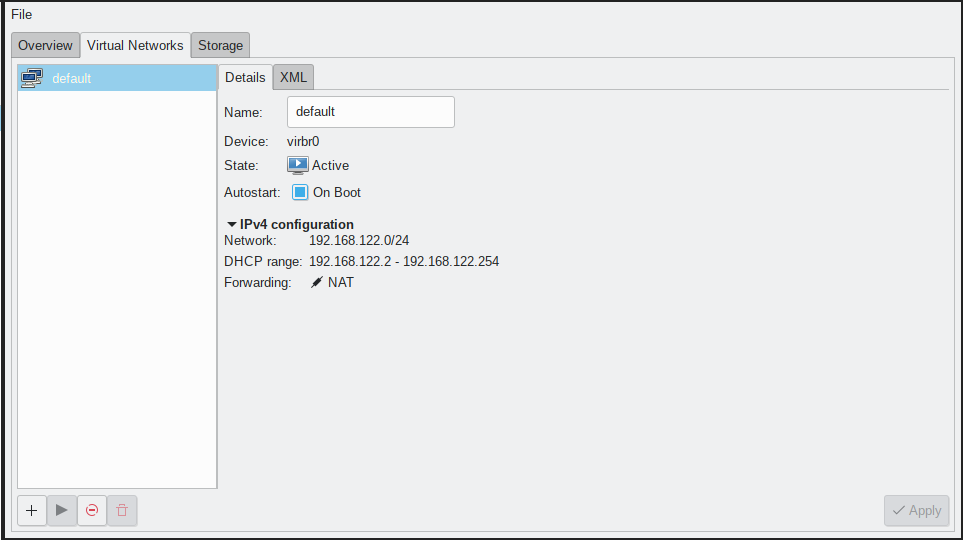
A lot of documentation asks you to create a bridge interface and add it to your /etc/network/interfaces or create a systemd service for it. This is no longer necessary. Simply right-click your qemu+kvm connection details, navigate to the Virtual Networks tab, and click the run button at the bottom. Boom! Network setup. For the individual users, this is all you'll have cause to user; you're not an enterprise sysadmin, you don't need to learn networking managements details for a simple project.
qemu command line
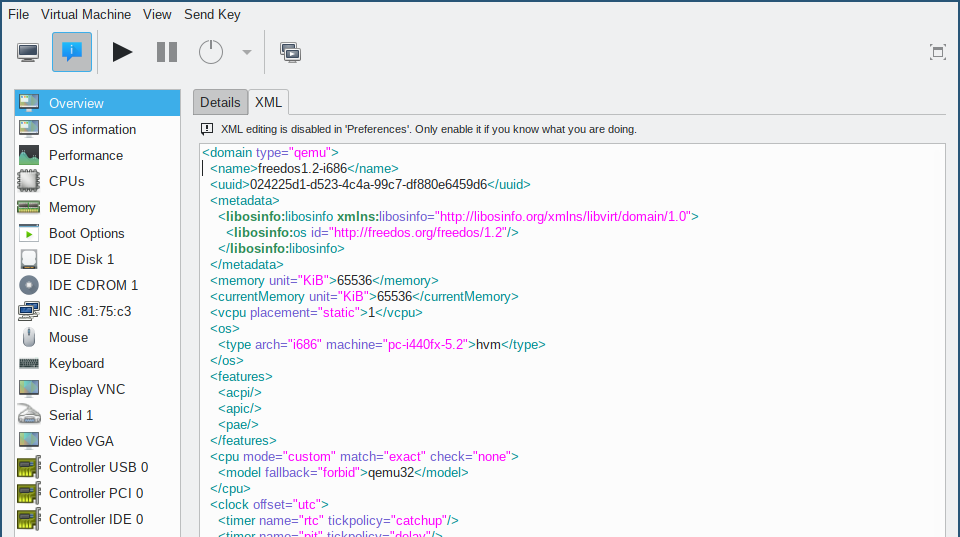
I don't know about you, but I never could type the qemu command line properly, so I ended up writing a script and triple checking where I'd modified an example to do the setup, and still get it wrong one time out of three. This is messy and error-prone, and kind of silly to still be doing manually. Luckily, if you use virt-manager, it'll write out a pretty standard startup and connection string for you, as well as the libvirt xml to match it. I'm a software engineer by training, not an enterprise sysadmin, I'm really grateful that I don't have to anymore.
Storage
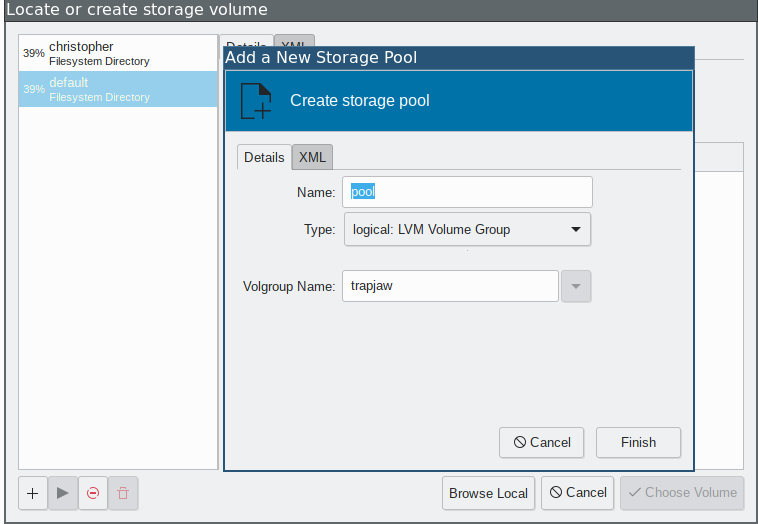
Almost any virtual machine needs a backing store. The default way for virt-manager is to use a qcow2 file in /var/lib/libvirt/images/. I am already using lvm (see here) for managing my host system, so may well use it for virtual systems too. This is a fairly easy setup if you've already set up your volume group. In the 'add storage' dialog, the left pane in your storage pools. Click the add button on the lower left. Then, under the Type dropdown, select logical: LVM Volume Group. Your volume groups should be populated in the Volgroup Name: dropdown. Select the proper volume group, and you can then create a new logical volume using default settings (no need to call lvcreate --size xx --name volume_name volume_group_name yourself).
Video Acceleration
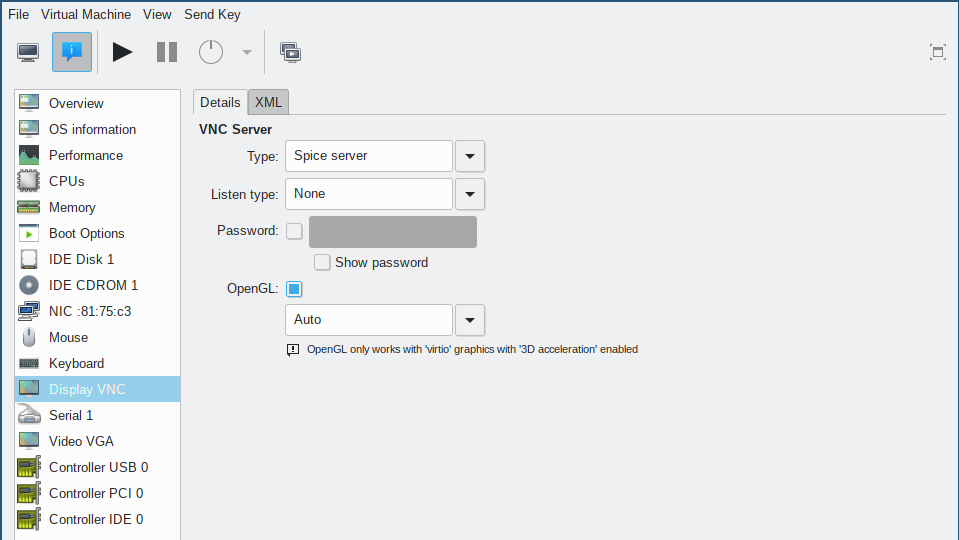
In the before times, to get gpu acceleration in a virtual machine you had to pass through an unused phsycial graphics card. For Windows VMs, you probably still have to. These days, if your host and guest graphics stack uses Mesa, you have the ability to use the hosts gpu acceleration on the guest's window. I originally had to build various bits myself, but after I came across Ryan Himmelwright's blog I discovered the stuff was already built in. Just set the graphics type to virtio, tick the 3d Acceleration box, and set your Display to Spice and tick OpenGL. Yes, these two settings will complain until they match. That's fine, just match them :-)
FreeDOS Specific
I installed a working FreeDOS install. Everything worked out of the box, except for the audio device. I manually changed the audio setting to sb16 by manually editing the xml snippet to sb16.
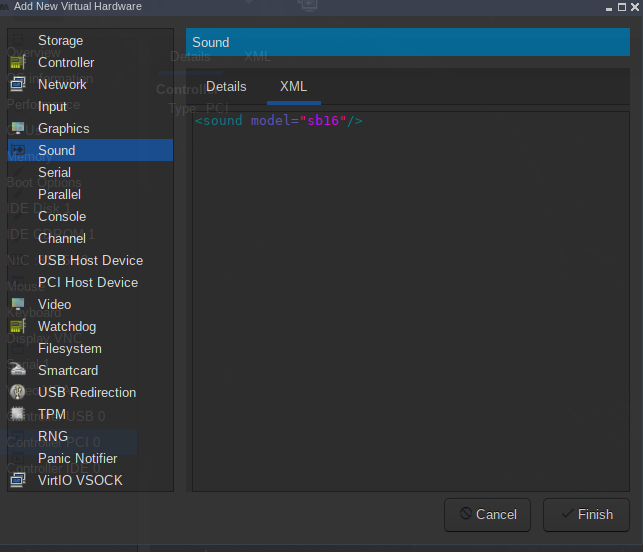
I then had to add a soundblaster driver in FreeDOS itself. I got the Win3.11.zip archive from this URL from this YouTube video (warning, possible audio issues). I pulled the soundblaster directory and passed it through to FreeDOS, then ran the executable and it set up autoexec.bat and everything else for me. (Don't be surprised if that link goes away, the video author owns it, and it appears to be a personal website). The oemdrivers site may be a good backup. Now I can hear that glorious (?) crunchy sound of Doomguy shooting his pistol.